How to Connect a Turntable to Active Studio Monitors
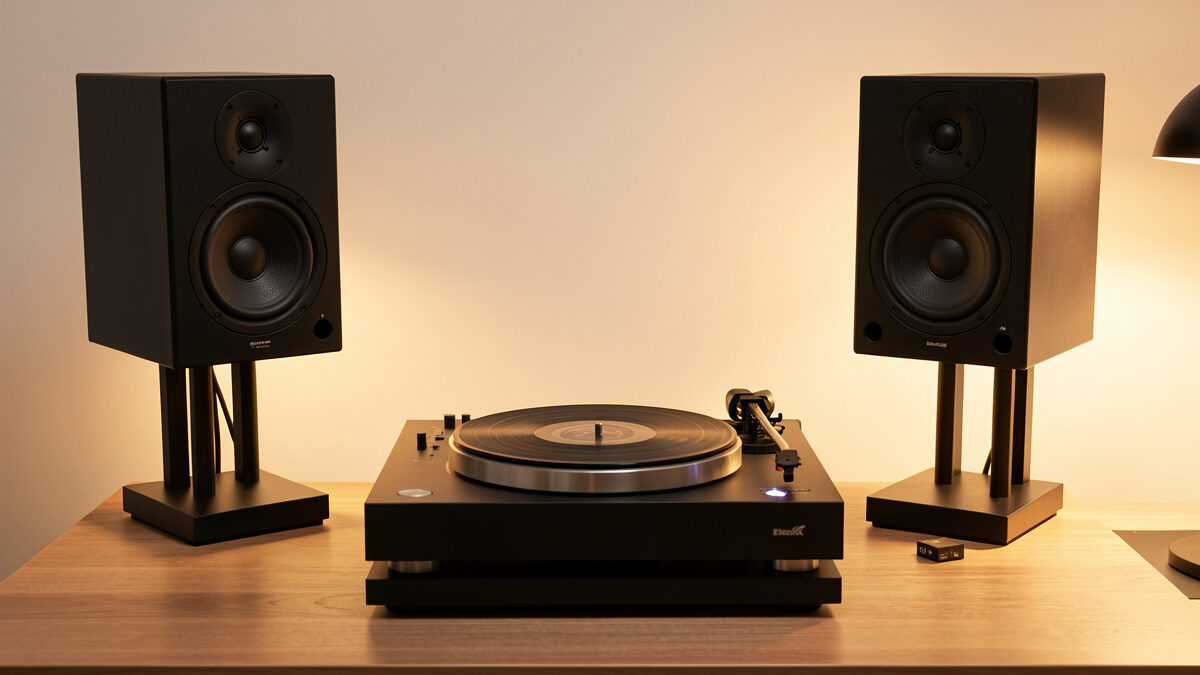
Connecting a turntable to active studio monitors works, but the monitors do not contain a phono stage, so you still have to supply gain and RIAA equalization before the signal reaches them. The clean path is a turntable with a built-in switchable preamp, or a small outboard phono box, feeding the monitors’ line inputs — matching balanced XLR or unbalanced RCA to whatever the monitors accept. Get the phono stage and the connector type right and a turntable into powered monitors is a superb, compact hi-fi system.
I run active monitors as the “skip the amp problem” argument, and adding a turntable to them is one of the cleanest small-room setups going — as long as you remember the phono stage that the amp used to provide is now your responsibility. This is the wiring laid out properly. The whole-system view is in my turntable integration guide, and the powered-versus-passive trade is in powered vs passive speakers.
Why Monitors Have No Phono Stage
Active studio monitors put a power amplifier inside each speaker and expect a line-level input — the same finished signal a DAC or mixer hands them. They have no phono stage, because in a studio the signal coming in has already been amplified and equalized upstream. Plug a bare turntable straight into a monitor and you get the same faint, bass-light result as plugging it into any line input with no phono stage.
So the phono stage has to live somewhere before the monitors: inside the turntable, or in a separate box between the deck and the monitor inputs. It never lives in the monitor. Once you internalize that the monitor is just a powered line-level speaker, the wiring becomes obvious — you are building the phono stage and the source, and the monitor handles amplification and the driver. The deeper phono-stage choice is covered in phono preamp vs built-in stage.
The Two Ways to Connect
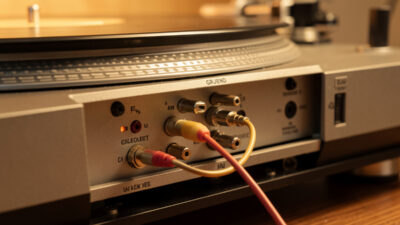
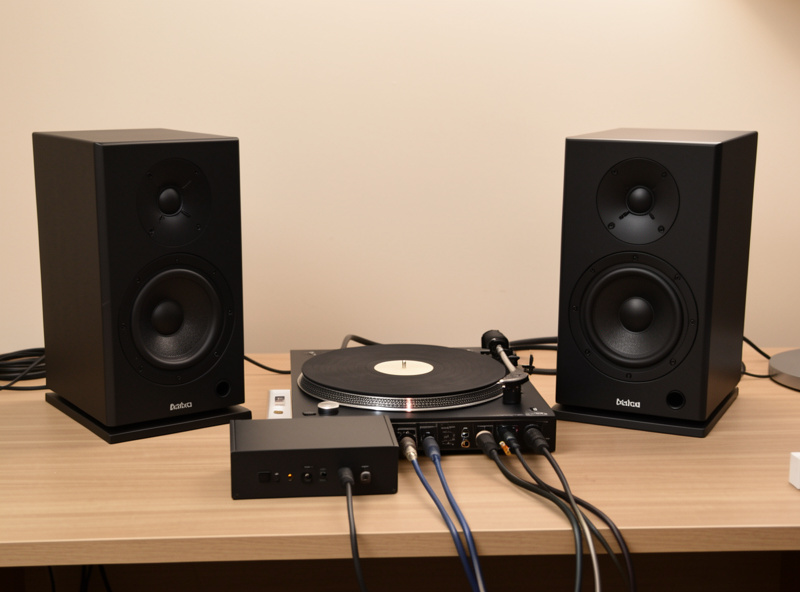
There are two clean paths, and which you choose depends on your turntable. If your deck has a built-in switchable preamp, set it to “Line” or “Pre” and run its output to the monitors’ line inputs — the turntable now supplies the phono stage internally. If your deck has no built-in preamp, put a standalone phono box between the turntable and the monitors.
Either way the chain ends at a line-level signal feeding the monitors. The thing to avoid is the doubled-stage error: do not feed a turntable with its built-in preamp switched on into a separate phono box, because that applies RIAA twice and sounds harsh and thin. Only one phono stage belongs in the path, exactly as covered in connecting a turntable to a stereo amplifier.
Balanced XLR vs Unbalanced RCA
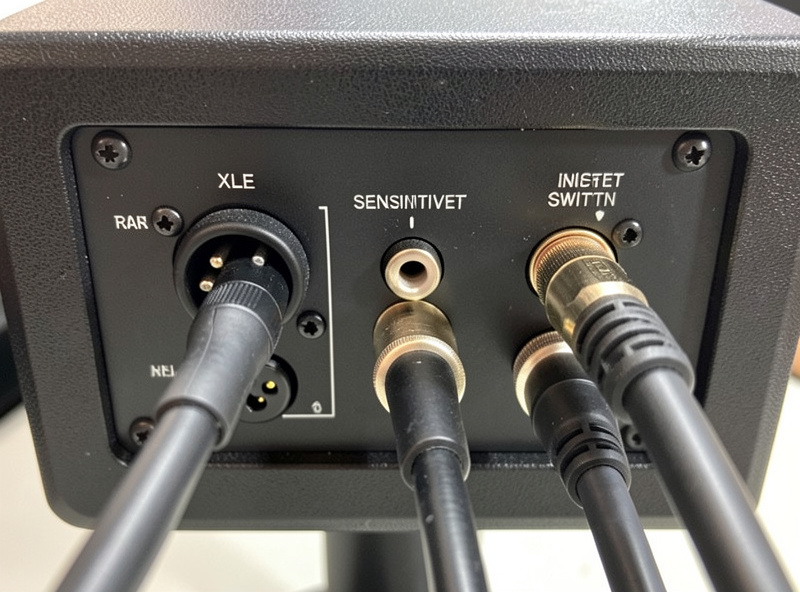
The connector mismatch is where most monitor setups snag. Many studio monitors have balanced inputs — XLR or TRS — while consumer phono preamps and turntables almost always output unbalanced RCA. You need to bridge that gap correctly, because a wrong adapter or cable can introduce noise, level mismatch, or a hum the high-gain phono signal will not forgive.
The usual solution is an RCA-to-balanced connection done with a proper unbalanced-to-balanced cable or a small converter, not a passive plug adapter that leaves the balanced pin floating. Some monitors accept unbalanced RCA directly, which simplifies everything. Check your monitors’ input options first — if they take RCA, life is easy; if they are XLR-only, plan for the correct interconnect rather than a cheap adapter.
One subtlety worth flagging: balanced inputs are typically more sensitive than unbalanced ones, so feeding an unbalanced phono output into a balanced input through a simple adapter can leave you with low volume and a raised noise floor even when it technically works. A small phono preamp with a true balanced output, or a proper interconnect designed for the unbalanced-to-balanced jump, sidesteps that. If your monitors offer a sensitivity switch on the back, set it to match the level your phono stage actually delivers rather than leaving it at the studio default.
Gain Staging and Volume Control
Active monitors usually have their own input sensitivity or gain control on the back, and the phono stage sets the level coming in — so gain staging matters. You want the phono output hitting the monitor input at a sensible level, with the monitor’s input trim set so you have usable range on whatever you use for volume, since a bare turntable-to-monitor chain has no central volume knob.
This is the one real inconvenience of active monitors with a turntable: there is no integrated amp volume control in the path. The fixes are a phono preamp with a volume control, a small passive or active preamp between the phono stage and the monitors, or monitors with their own accessible level controls. As an Amazon Associate I earn from qualifying purchases, and a compact phono preamp with a volume output is the tidiest way to solve the no-volume-knob problem in a desktop vinyl rig.
Isolation on a Desk
Because a desktop turntable sits close to the monitors, acoustic feedback and vibration are a bigger problem than in a rack-based system. Bass energy from the monitors travels through the desk into the plinth and back into the stylus, which can cause a feedback rumble or muddy the sound at higher volumes. Decoupling the deck from the desk is worth doing.
Isolation feet, a heavy isolation platform, or simply moving the turntable to a wall shelf away from the monitors all help. This is where the desktop setup borrows from the studio-monitor placement discipline I cover in studio monitors vs consumer speakers. The mechanical isolation depth — platters, feet, and suspension — belongs to the deck specialists at vinylgearhq.com.
Frequently Asked Questions
Can I connect a turntable directly to active studio monitors?
Not bare. Active monitors have no phono stage, so the turntable needs gain and RIAA equalization first. Use a turntable with a built-in switchable preamp, or a small outboard phono box, feeding the monitors’ line inputs. A bare deck sounds faint and bass-light.
Do studio monitors have a phono input?
No. Studio monitors expect a line-level signal, the same as from a DAC or mixer, because the phono stage normally lives upstream. You must supply the phono stage separately, either inside the turntable or in a standalone box, before the monitor’s line input.
How do I connect an RCA turntable to XLR monitors?
Use a proper unbalanced-to-balanced interconnect or a small converter, not a passive plug adapter that leaves the balanced pin floating. Check whether your monitors also accept unbalanced RCA, which is simpler. A wrong adapter can add noise, hum, or a level mismatch.
How do I control volume with a turntable and active monitors?
There is no integrated amp in the path, so use a phono preamp with a volume control, add a small preamp between the phono stage and the monitors, or use the monitors’ own input level controls. A phono preamp with a volume output is the tidiest desktop fix.
Why does my desktop turntable rumble near the monitors?
Bass energy from the monitors travels through the desk into the turntable plinth and back into the stylus, causing acoustic feedback. Decouple the deck with isolation feet or a platform, or move it to a wall shelf away from the speakers to break the feedback path.