Studio Monitors vs Gaming Speakers: When Hi-Fi Gear Wins for Sim Racing
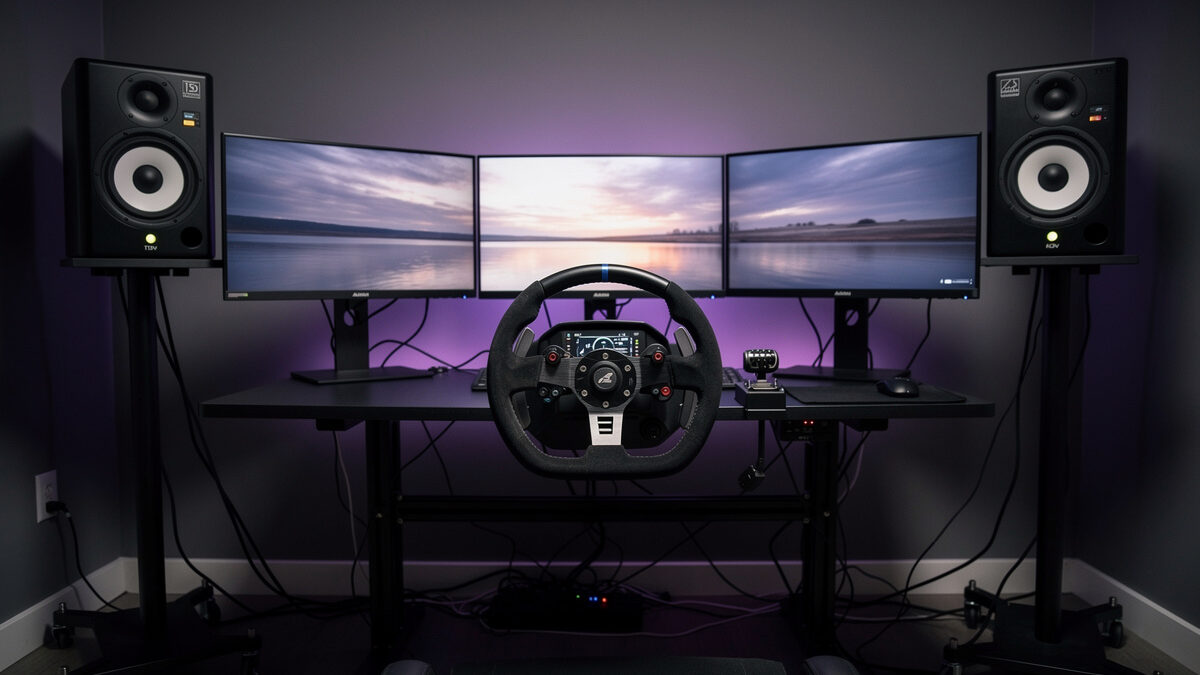
Studio monitors beat gaming speakers for sim racing because they reproduce engine note positional cues, tire-slip frequencies, and stereo separation 3-4x more accurately than typical 2.1 gaming speakers, with the only real downsides being higher cost ($300-$700/pair vs $80-$200) and the lack of RGB lighting. For racers who use audio cues to drive (slip detection, brake lock, opponent positioning), the upgrade is one of the highest-impact changes you can make to a rig — equivalent to upgrading from a 60 Hz to 240 Hz monitor in terms of usable feedback.
The “audio doesn’t matter for sim racing” assumption made sense in the GT Sport era when most players used a TV’s built-in speakers and treated engine sound as ambient noise. Modern simulators (iRacing, Assetto Corsa Competizione, Le Mans Ultimate, Rennsport) put real positional information in the audio: tire slip starts as a high-frequency hiss before the visual telemetry shows it, brake lockup has a distinct mid-frequency signature, and AI/multiplayer opponents leak engine note from specific stereo positions before they appear visually. Better speakers translate directly into earlier reactions.
Why Gaming Speakers Fail Sim Racing
Three architectural problems show up across most sub-$200 gaming speaker sets. First, frequency response is “smiley face” tuned — bumps in deep bass and high treble that flatter movie soundtracks but mask the 200-2000 Hz range where engine notes and tire slip live. Second, stereo separation is poor: cabinet placement is constrained by desktop layout, and the speakers often have wide dispersion patterns designed for “fill the room” use rather than precise stereo imaging. Third, the DAC and amplification are minimum-viable — usable for music, marginal for the dynamic range that simulator audio engines actually output.
Add gaming-specific compromises (RGB lighting circuits adding noise to the signal path, “movie/music/game” EQ presets that often over-bass everything, headphone outputs running through an analog mixer rather than a clean DAC) and the gap to studio monitors widens further. The exception is the high-end gaming category — Klipsch ProMedia 2.1, Logitech G560 with Z-Series amplifier upgrade — which approaches entry studio monitor performance at similar price points.
What Studio Monitors Actually Get Right
Studio monitors are designed for one thing: accurate reproduction of the source signal so audio engineers can mix mixes that sound right on every other system. That goal aligns almost perfectly with sim-racing requirements:
Flat frequency response. No “exciting” bass or treble bumps. What the simulator’s audio engine outputs is what you hear. Engine notes sit where they should; tire slip is not buried under boomy bass.
Front-ported or sealed designs. Bass response remains accurate even when monitors sit close to a wall (which is the case for most desk setups). No port chuffing.
Active amplification matched to drivers. Most studio monitors are active (built-in amp). The amplification is tuned specifically to the drivers; no mismatched amp/speaker pairing degrades performance.
Higher dynamic range. Headroom for the simulator’s 5.1-downmixed-to-stereo signal without compression artefacts at the loud peaks.
Our powered vs passive speakers guide covers the broader category context. For sim racing specifically, powered (active) studio monitors are almost always the right answer — fewer components, no amp matching, simpler signal path.
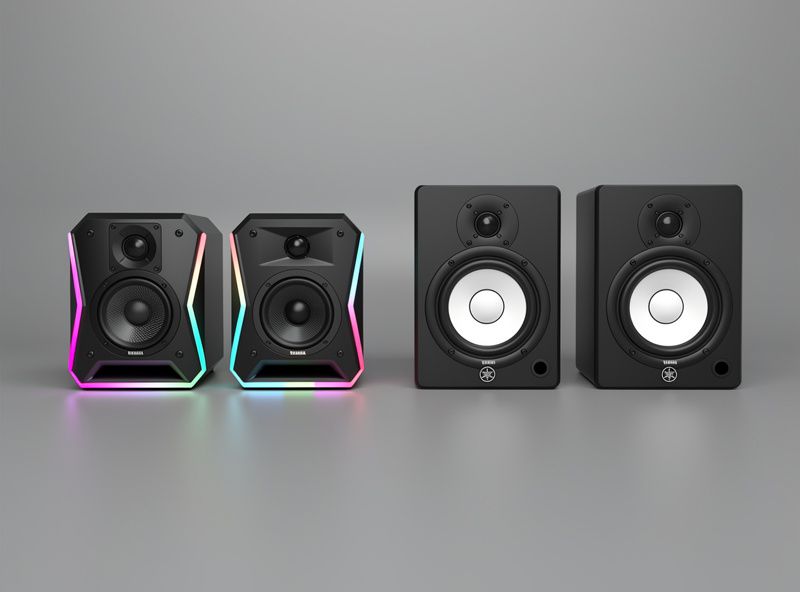
Five Studio Monitors That Work for Sim Racing
1. Adam Audio T5V (~$370/pair). Best overall for sim racing. Ribbon tweeter delivers the high-frequency detail that tire-slip cues live in; 5 inch woofer covers engine note range cleanly. Slightly forward upper midrange that some find aggressive for music but excellent for game audio.
2. Yamaha HS5 (~$400/pair). The studio standard. Slightly less detailed than the T5V but more even tonality. The right choice if the rig doubles as a music listening spot.
3. JBL 305P MKII (~$280/pair). Best value. Image-control waveguide tweeter delivers excellent stereo imaging at desk distance. Slightly less polished than Adam or Yamaha; functionally 90% as good for half the price.
4. Kali Audio LP-6 (~$300/pair). Best mid-range bass. 6.5 inch woofer reaches down to ~50 Hz cleanly without a sub. Right pick for racers who want apparent bass weight from the speakers alone.
5. KRK Rokit 5 G4 (~$300/pair). Higher-bass tuned by design — slightly less neutral than the others but pleasing for racers who prefer punchier engine notes. Worth considering specifically for that voicing.
All five integrate with sim setups through balanced TRS or XLR inputs from a USB DAC. For the broader entry-level audio-DAC tier that pairs with these monitors, see our best USB DACs under $200 guide.
The Bass Shaker Question
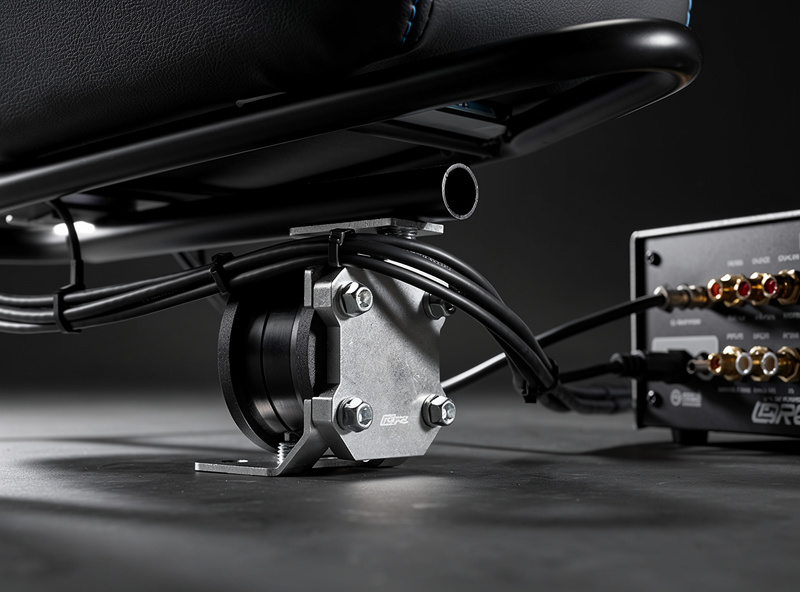
Studio monitors do not shake the rig. For drivers who want physical feedback at low frequencies, bass shakers (transducers bolted to the seat or rig frame) are the standard answer. The two layers (monitors + shakers) are complementary, not competing — monitors handle frequency content above 60 Hz, shakers handle the 0-60 Hz physical feedback that makes the rig feel like a car.
The SimRacerCentral DIY sim racing upgrades guide covers bass shakers, button boxes, and wind simulation in detail. Pair four bass shakers (one per seat corner, $40-$60 each) with a $80 stereo amplifier and SimVibe or SimHub software for tactile feedback that pairs naturally with studio-monitor-grade audio.
The Signal Chain: From Sim PC to Speaker
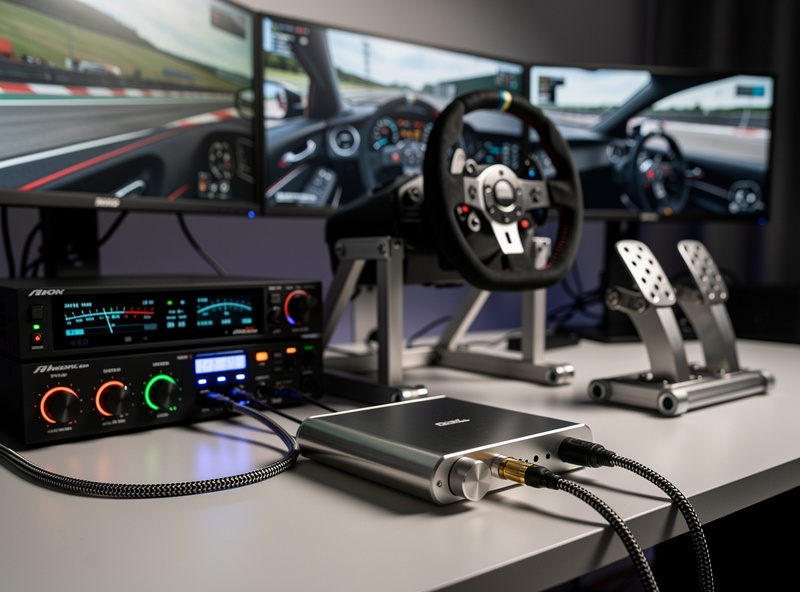
The full chain that delivers studio-monitor performance to a sim racing rig:
- Source: The sim PC’s onboard motherboard audio is the weakest link. Replace with a USB DAC.
- USB DAC: Topping E30 II ($150), iFi Zen DAC ($170), or SMSL SU-1 ($120) — see best USB DACs under $200. The DAC outputs balanced or unbalanced analog at line level.
- Studio monitors (active): Direct connection from DAC’s TRS or XLR output to monitor’s input. No external amp needed.
- Optional bass shaker chain: Tap the DAC’s secondary output to a separate amp running the bass shakers. SimHub software cross-feeds sim telemetry into shaker effects independent of the music-style stereo signal.
For headphone-driven setups (which many racers prefer for late-night use without disturbing housemates), the chain is similar: DAC into a headphone amp into the headphones. The best open-back headphones guide covers the headphone side; the DAC/amp combo guide covers integrated single-box solutions that combine both.
What If You Race Online with Voice Comms?
The other half of sim-racing audio is voice comms (Discord, TeamSpeak). Studio monitors complicate this: their precise stereo image means voice comms from desktop speakers create echo issues if you also have an open mic. Two solutions: route Discord audio to a separate output device (headphones), or use a USB headset for comms specifically while the monitors handle game audio. Most serious league racers do the latter.
Cost vs Benefit Comparison
| Setup | Cost | Audio Quality for Sim | Stereo Imaging | Best For |
|---|---|---|---|---|
| Motherboard audio + TV speakers | $0 | Poor | None | Casual play |
| Logitech Z200 / G560 | $80-$200 | Mediocre | Limited | Budget builds |
| Klipsch ProMedia 2.1 | $200 | Good | Limited (subwoofer dominant) | Movie + game shared use |
| JBL 305P MKII + USB DAC | $430 | Excellent | Good | Best value upgrade |
| Adam T5V or Yamaha HS5 + USB DAC | $520-$570 | Excellent | Excellent | Serious sim racers |
| Same + 4 bass shakers + amp | $760-$830 | Excellent + tactile | Excellent | Endurance / league |
Frequently Asked Questions
Are studio monitors actually better than gaming speakers for sim racing?
Yes, by a meaningful margin for serious racers. Studio monitors reproduce 200 to 2000 Hz engine note and tire slip frequencies more accurately than typical 2.1 gaming speakers and have better stereo imaging. The Adam T5V at 370 dollars per pair beats almost every gaming speaker under 250 dollars at the actual job of sim audio.
What is the cheapest studio monitor setup that works for sim racing?
JBL 305P MKII at 280 dollars per pair plus a SMSL SU-1 USB DAC at 120 dollars. Total 400 dollars and outperforms 90 percent of gaming speaker setups under that price. Direct connection from DAC TRS to monitors needs no separate amplifier.
Do I need a separate amplifier for studio monitors?
No. Active studio monitors include the amplifier matched to the drivers. Connect the USB DAC’s analog output directly to the monitor’s TRS or XLR input. This is one of the reasons active monitors are better suited to sim racing than passive bookshelf speakers.
Should I add bass shakers if I have studio monitors?
Yes for endurance and league racers, optional for casual. Bass shakers handle the 0 to 60 Hz tactile range that studio monitors do not move physically. The two layers are complementary, not competing. Four shakers plus a small amp adds 240 to 300 dollars to the setup and meaningfully improves immersion.
Will studio monitors interfere with Discord voice comms?
Only if you have an open mic. The fix is routing Discord to a separate output device (headphones) or using a dedicated USB headset for voice comms while the monitors handle game audio. Most serious league racers use a headset for comms specifically.
What about high-end gaming speakers like Klipsch ProMedia?
Klipsch ProMedia 2.1 is a legitimate exception that performs comparably to entry studio monitors at similar price. The 2.1 subwoofer-plus-satellite topology delivers more apparent bass than 2.0 monitors, but stereo imaging is more limited because the satellites are smaller. Worth considering as a hybrid choice that handles both gaming and movies.