DAC Buying Guide 2026: How to Choose a Hi-Fi DAC That Matters
A DAC buying guide comes down to one unglamorous truth I keep proving on my own bench: above roughly the $150 mark, the converter chip is rarely your bottleneck. In my listening space I run an RME ADI-2 as the measurement-grade reference, and I have swapped budget Topping and SMSL units in and out of the same chain enough times to say plainly that the differences most people chase are smaller than a 2 dB room-mode dip you never treated. This guide tells you what actually matters when you buy a DAC, what is marketing, and which type fits your system.
I will work from the chain I actually use: a fixed, lightly treated near-field room, a calibrated UMIK-1 and REW for sweeps, and a rotation of converters from the RME down to a sub-$100 dongle. Everything below is filtered through what I can hear in that room and what the measurements explain. Where a difference is real, I say so. Where it is a tariff on your wallet, I say that too.
What a DAC Actually Does in Your System
A DAC (digital-to-analog converter) turns the digital audio stream from your computer, streamer, or phone into the analog voltage your amplifier and speakers can use. Every digital source already has one inside it; a standalone DAC is an upgrade path, not a missing ingredient. The audible question is whether the standalone unit is meaningfully more transparent than the one you already own.
On my bench the honest answer is “sometimes, and less than you think.” A modern competent DAC measures with a SINAD (signal-to-noise-and-distortion ratio) high enough that its own contribution sits below the noise floor of the rest of the chain. The DAC’s job is to be inaudible — to add nothing. That reframes the whole purchase: you are not buying a sound, you are buying the absence of one, plus the features and connectivity you actually need.
There is one important caveat to the “DACs are transparent” position, and it is the headphone case. Drive sensitive in-ears or low-impedance headphones directly from a DAC’s output and the output impedance interacts with the headphone’s impedance curve, shifting frequency response by amounts you can both measure and hear. That is not the converter “having a sound” — it is an electrical mismatch, and it is exactly the kind of thing a real bench catches that a spec sheet hides. For speaker rigs feeding a proper amplifier, the line-out is loafing and transparency holds.
This is why I always tell people to fix the room and the speaker placement first. The single biggest improvement in my space came from broadband absorbers at the first-reflection points and corner bass traps, not from any converter swap. If you have not read my guide to room acoustics treatment that actually works, start there before you spend on a DAC.
Where DAC Differences Are Real vs. Audible Myth
Real, audible DAC differences cluster in three places: output level and gain staging, output impedance into hard loads (especially headphones), and feature behavior like filter choices or volume control quality. The converter’s raw distortion-and-noise performance is almost never the limiting factor at a competent baseline. I treat SINAD as a sanity check, not a religion.
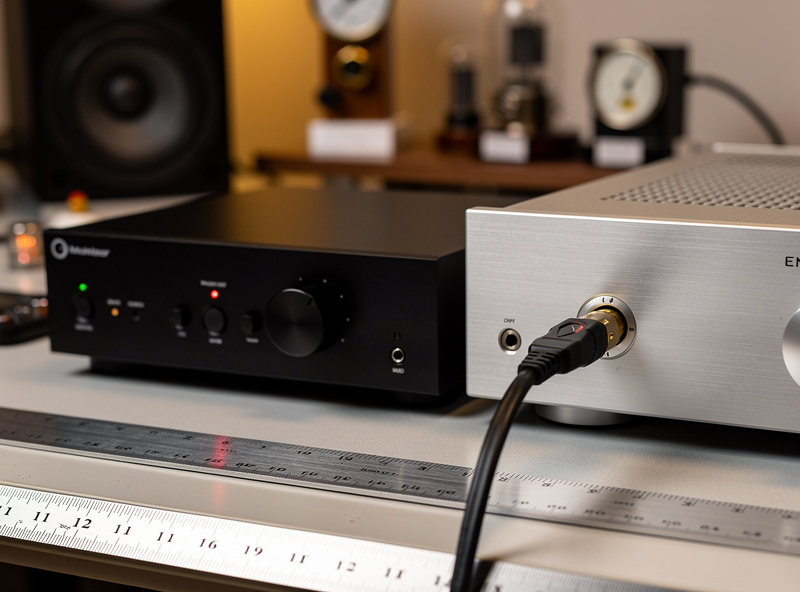
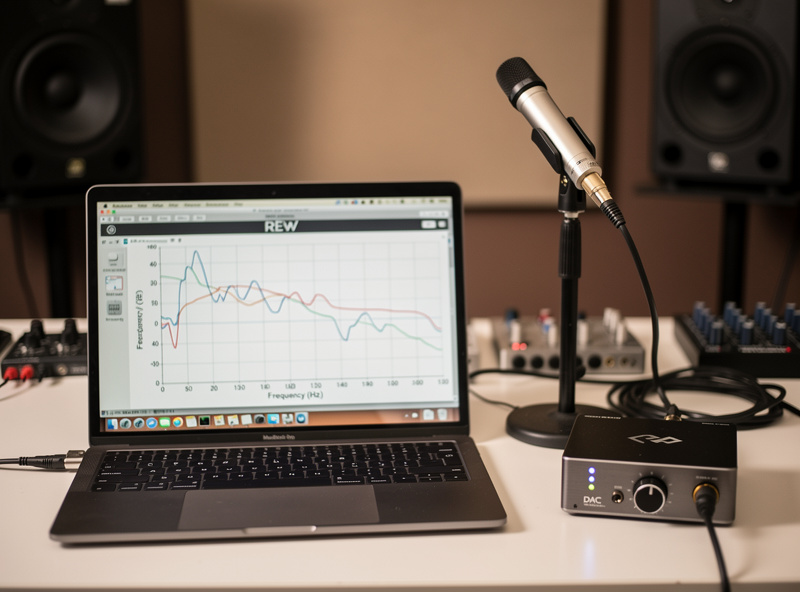
Here is the test I run. I sweep the system with REW and the UMIK-1, then swap only the DAC and re-sweep at matched levels. On transparent units the frequency response and distortion traces lay on top of each other. When I hear a “difference” before level-matching, it almost always disappears once I match output within 0.1 dB — our ears read “louder” as “better.” Snake-oil immunity is a feature of this site, and the measurements are how I earn it. The deeper R2R-versus-delta-sigma teardown is its own topic worth understanding before you buy on chip type.
The Main Types of DAC (and Who Each Suits)
DACs split into a few practical categories: desktop units, portable dongles and players, DAC/amp combos, and DAC/streamer combos. The right type is decided by your source, your headphones or speakers, and whether you need the device to also amplify or stream. Chip topology — delta-sigma versus R2R — matters far less than these practical fits.
Desktop DACs are the default for a home rig with separates. Portable dongles solve “my phone has no good output.” Combo units fold the amplifier in for headphone listeners who want one box. Streaming DACs add a network endpoint so you can drop the separate streamer entirely. The desktop-versus-portable trade-off and the all-in-one streaming question each deserve their own decision, which I dig into across this cluster.
DAC Types Compared at a Glance
This table maps the four practical DAC categories against the buyer questions that actually decide the purchase: what source it suits, whether it amplifies, and the rough price band where each makes sense in 2026.
| DAC Type | Best For | Built-in Amp? | Typical Connectivity | Sensible Price Band |
|---|---|---|---|---|
| Desktop DAC | Home separates, fixed listening room | No (line out) | USB, optical, coax | $120-$900 |
| DAC/Amp Combo | Headphone listeners, one-box desk setup | Yes (headphone) | USB, sometimes Bluetooth | $100-$700 |
| Portable Dongle/Player | Phone and laptop on the move | Yes (headphone) | USB-C, 3.5mm/4.4mm | $30-$400 |
| Streaming DAC | Replacing source + DAC with one network box | No (line out) | Ethernet, Wi-Fi, USB | $300-$1500 |
| R2R “ladder” DAC | Buyers who want a specific tuned character | No (usually) | USB, coax | $300-$2000 |
Connectivity and Inputs: The Part People Skip
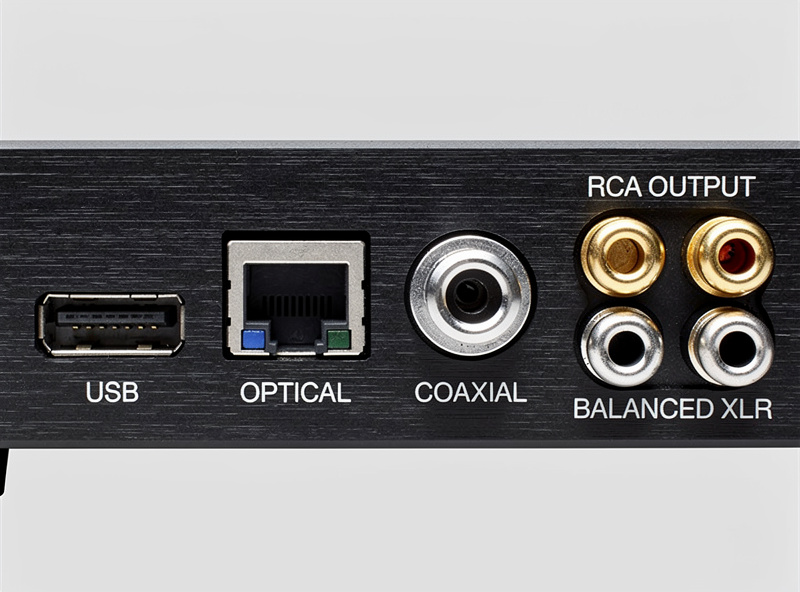
The input you will actually use decides more than the chip inside. USB is the most common computer link, optical (Toslink) galvanically isolates you from PC ground noise, and coaxial S/PDIF handles higher sample rates on some gear. Match the DAC’s inputs to your real sources before you fall for a spec sheet.
In my room I drive the RME over USB from a Roon ROCK NUC, but I keep optical on hand precisely because it breaks ground loops — a hum I have chased more than once is solved not by an exotic cable but by switching to Toslink. If you stream, an Ethernet or Wi-Fi input on a streaming DAC removes a box entirely; I touch on that in the network streamers guide. Balanced (XLR) versus single-ended (RCA) output is its own decision worth getting right before you buy.
DAC Chips and Topology: How Much Should You Care?
Chip brand and topology — ESS Sabre, AKM, R2R ladder, delta-sigma — sell magazines but rarely decide audible quality at a good baseline. Implementation (power supply, clocking, output stage) matters more than the silicon’s name. A well-built delta-sigma unit and a well-built R2R unit can both measure and sound transparent; the “house sound” you read about is usually a deliberate filter or output-impedance choice.
I keep an R2R-flavored unit and several delta-sigma converters specifically to demonstrate this on the bench. Where I do hear a consistent difference, I can usually point at the filter rolloff near 20 kHz or a tiny channel-balance shift, not at some mystical analog warmth. What the chips actually do — and why the topology face-off matters less than the marketing implies — is worth understanding in full before you let a chip name drive the purchase.
Hi-Res, Sample Rates, and the MQA Question
For two-channel music, 24-bit/96 kHz is comfortably beyond the limits of human hearing in normal listening; almost no one reliably distinguishes high-res from a good 16/44.1 file in a level-matched blind test. Buy a DAC that handles the formats your library uses, then stop optimizing the number. The marketing ladder of ever-higher sample rates is mostly that — marketing.
MQA’s “studio quality” claims never survived the measurement scrutiny that finally caught up with it, and the format’s commercial position has collapsed accordingly. I would not pay a premium for MQA decoding in 2026. Spend the budget on a unit with clean USB implementation and the outputs you need, and your DAC dollars go much further at every price tier.
Matching the DAC to the Rest of Your Chain
A DAC only earns its keep when its outputs and levels match what feeds it. Check output voltage against your amplifier’s input sensitivity to avoid gain-staging problems, and for headphone use watch output impedance — a high-impedance output into low-impedance, high-sensitivity headphones causes a frequency-response shift you can measure. This is the matching discipline I apply to every component, not just converters.
If you are pairing a DAC with an integrated amplifier, the same sensitivity-and-impedance logic from my speaker sensitivity and amplifier matching guide applies upstream, and the amplifier topology you choose — tube versus solid state — colors the sound far more than the converter ahead of it. For headphone-first setups, a combo unit can simplify the chain — see best headphone amp and DAC combos and the headphone buying guide for the load side of the equation. If you run active monitors, the powered versus passive speakers decision changes where the DAC feeds entirely.
How Much to Spend on a DAC in 2026
For most listeners, a competent $150-$300 desktop DAC is the point of diminishing returns; beyond that you pay for features, build, and resale character rather than audible transparency. The exceptions are people who genuinely need balanced outputs, a measurement-grade reference, or a streaming endpoint built in. I run a reference-class unit because it doubles as my test instrument, not because the music demands it.
My standing advice: set a budget, buy the most useful set of inputs and outputs at that budget, and put the leftover money into the room. A pair of bass traps will change your sound far more than stepping from a $200 to a $600 converter. If you want concrete tiered picks, my entry-level best USB DACs under $200 roundup does the legwork at the value end of the market, and the full best DAC by budget tiers map every price band above it.
Features That Actually Earn Their Price
Once transparency is a given, the money is well spent on features you will use every day: a good volume control, a remote, a clear display, low-noise headphone output if you need it, and the exact inputs your sources demand. These are the things that make a DAC a pleasure to live with, and they are where the gap between a $150 unit and a $400 unit usually hides — not in the converter.
A digitally controlled analog volume stage, like the one on my reference unit, lets the DAC drive a power amp directly and skip a preamp entirely; that is a genuine system simplification, not a tweak. Parametric EQ built into the DAC is another feature I lean on hard — being able to dial out a stubborn bass-mode peak below the Schroeder frequency, right at the source, is worth more to the sound than any amount of converter exotica. If a unit gives me clean USB, optical for ground-loop escape, a real remote, and on-board EQ, it has earned its place regardless of which chip is inside. Conversely, paying for DSD512 support, gold-plated everything, and a chip brand on the faceplate buys nothing your ears can use.
The other feature worth real money is a competent built-in streamer, which collapses two boxes into one and removes a USB link that can introduce its own noise. Whether that integration is right for you depends on how you listen, which is exactly the trade-off the cluster spokes weigh case by case.
Common DAC Buying Mistakes I See Constantly
The most expensive DAC mistake is buying transparency you already have while ignoring the room and the match. Three errors come up again and again: judging a unit before level-matching, choosing on chip name rather than implementation, and paying for sample-rate headroom no human can use. Each one moves money away from where it would actually improve the sound.
The first mistake is the deadliest because it feels like discernment. You plug in the new DAC, it is fractionally louder because its output voltage is higher, and your brain files “louder” under “more detailed, more open.” I have fooled myself this way and only the level-matched re-sweep caught it. Always match output to within a tenth of a decibel before you decide anything. The second mistake — buying the chip — ignores that the power supply, clocking, and output stage around the chip set the real performance. The third mistake, chasing DSD512 and 768 kHz, optimizes a number that fell off the edge of audibility several rungs down the ladder.
A quieter mistake is forgetting resale and ergonomics. A unit with a usable remote, a clean display, and the inputs you will still want in three years is worth more in practice than a marginally higher SINAD figure. I weight day-to-day usability heavily because the converter you never fight with is the one you actually listen through.
The DAC’s Place in the Whole Signal Chain
A DAC sits between your digital source and your amplification, and it can only ever be as good as the weakest link around it lets it be. In order of audible impact, the room comes first, then speakers and placement, then matching and gain staging, and only then the converter itself. Spending out of that order is the single most common way audiophiles waste money, and it is the order I have confirmed by measurement in my own space.
Think of the chain as source, DAC, amplifier, speakers, room. The room and speakers dominate what reaches your ears by a wide margin — a frequency-response swing of several decibels from a room mode dwarfs anything a transparent DAC contributes. That is why my whole approach starts with absorbers and bass traps and the listening triangle, then works backward. When I do swap converters, it is to gain a feature — balanced outputs, a streaming endpoint, measurement capability — not to chase a sound the upstream gear has already decided.
If you are building from scratch rather than upgrading one box, my complete hi-fi beginner guide lays out the whole chain in order, the speaker and room acoustics guide covers the part that matters most, and the vinyl signal-chain guide shows how a DAC slots in alongside an analog front end. Buy the DAC last, once you know what it actually needs to feed and what inputs your sources demand.
Honest Buyer Disclosure and My Picks Logic
Disclosure: some links below are Amazon affiliate links. If you buy through them I may earn a small commission at no extra cost to you. I only point at gear I would actually put in my own chain, and the links are search links so they never go stale.
My buying logic is boring on purpose: a transparent converter with the right inputs, sized to your real needs. For a clean desktop reference the Topping desktop DAC line is the value benchmark I keep coming back to, and for headphone-first desks an integrated combo like the FiiO desktop DAC/amp removes a box without compromising measured performance. If you want my measurement-grade reference, the RME ADI-2 series is the unit on my own bench — overkill for pure listening, ideal if you also want to measure.
Whatever you choose, level-match before you judge it, and remember that the most transparent thing in the chain should be the converter. If you can hear it, something upstream or in the room is usually the real story.
Frequently Asked Questions
Does a more expensive DAC actually sound better?
Rarely above about $150-$300. A competent modern DAC measures transparent, so extra money buys features, build, and connectivity rather than audible quality. Fix room acoustics and matching before spending more on a converter.
Do I need a standalone DAC at all?
Only if your existing source has an audibly poor or noisy output. Every phone, computer, and streamer already has a DAC. A standalone unit is an upgrade path, not a missing component, and the gain is often smaller than people expect.
Is high-resolution audio worth paying for?
For listening, 24-bit/96 kHz already exceeds human hearing limits. Almost no one reliably distinguishes hi-res from good 16-bit/44.1 kHz in level-matched blind tests. Buy a DAC that supports your library, then stop chasing the sample-rate number.
R2R or delta-sigma: which should I buy?
Implementation matters more than topology. A well-built delta-sigma and a well-built R2R DAC can both sound transparent. Choose based on price, inputs, and outputs, not the chip type, unless you specifically want a tuned character.
What inputs should my DAC have?
Match inputs to your real sources. USB for computers, optical (Toslink) to break ground-loop hum, and coaxial for some high-rate gear. A streaming DAC adds Ethernet or Wi-Fi so you can drop a separate streamer box entirely.
Should I pay extra for MQA support?
No. MQA’s quality claims did not survive measurement scrutiny and the format has lost commercial momentum. In 2026 a clean USB implementation and the right outputs are far better uses of your budget than MQA decoding.